Browse your fleet with Headlamp
Headlamp is a Kubernetes web UI. Running on an OCM hub, it becomes a UI for your whole fleet: one cluster chooser that lists every managed cluster, and a full view of what is running inside each one.
What you get
- One UI for every managed cluster. Each cluster in a
ManagedClusterSetappears in Headlamp’s cluster chooser, next to the hub. - A look inside each cluster. Open a cluster to see its pods, nodes, workloads, events and more.
- No kubeconfigs to manage. Headlamp reaches each cluster through the
cluster-proxyaddon, with a token that themanaged-serviceaccountaddon creates and rotates. - Read-only on managed clusters by default. Headlamp can view a managed cluster but not change it or read its secrets. On the hub, the Headlamp service account is a cluster admin, so treat its token as an admin credential.
- New clusters appear on their own, with no Headlamp restart.
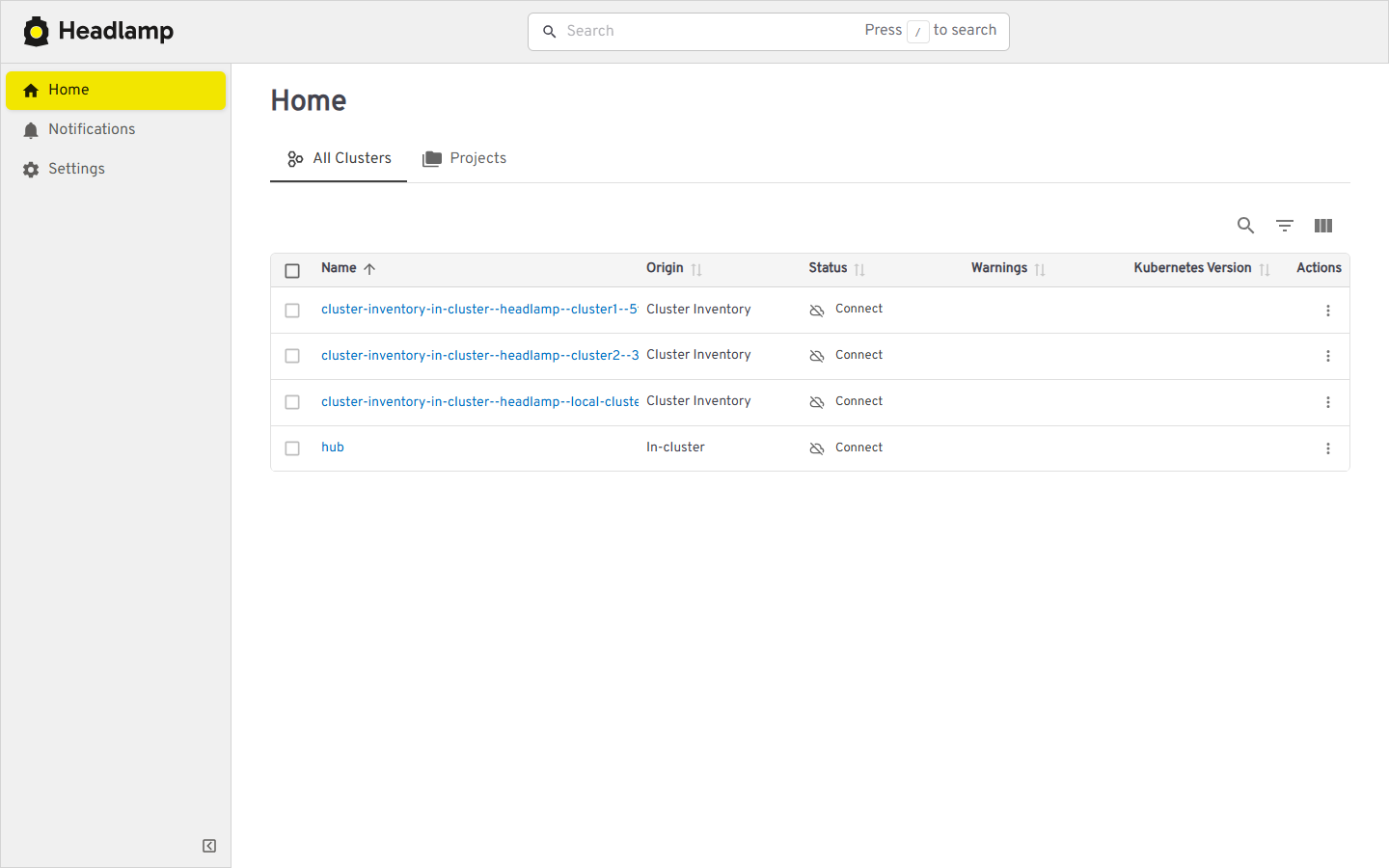
The cluster chooser lists the hub and every managed cluster:
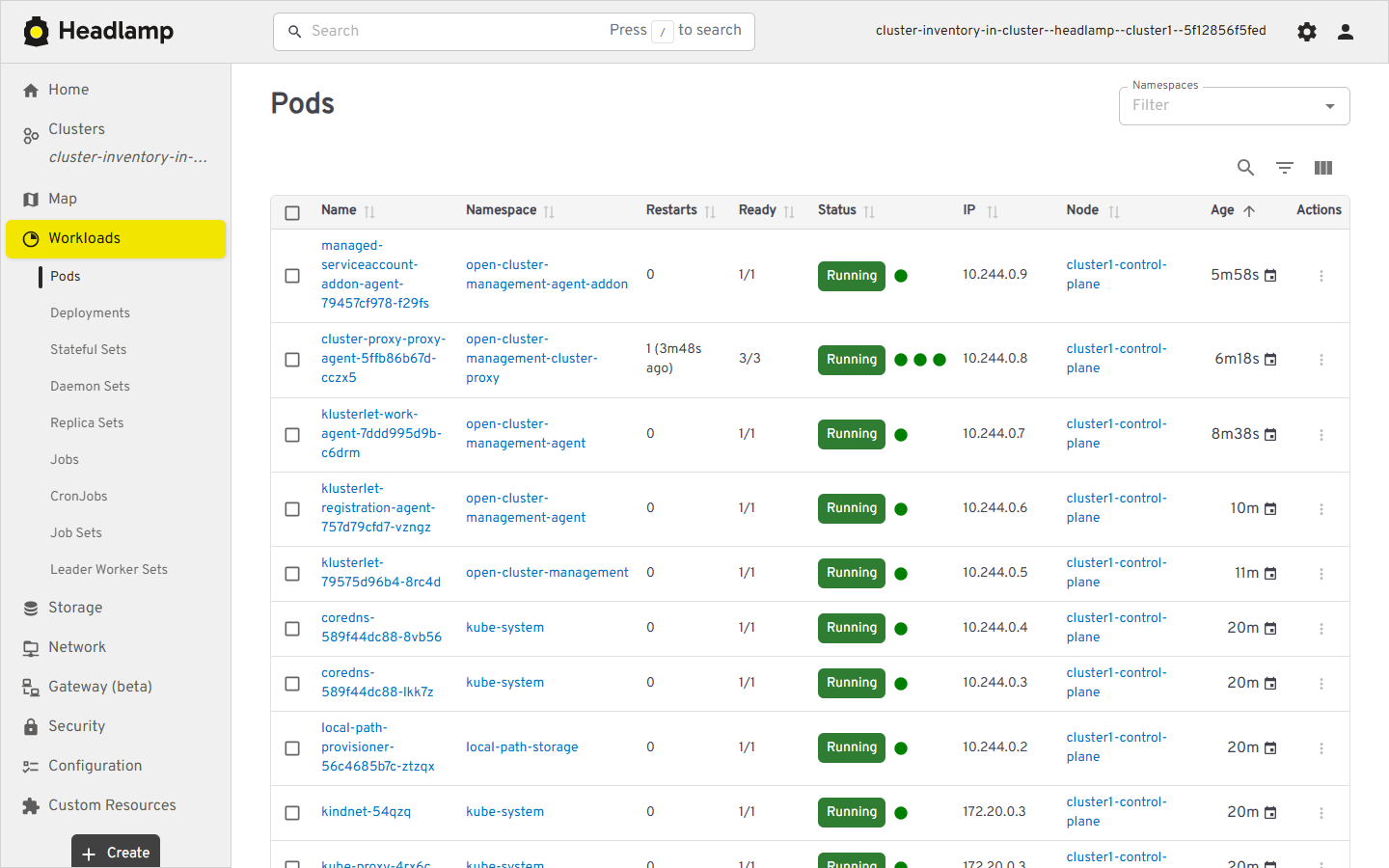
Opening a cluster shows its own pods, fetched through cluster-proxy:
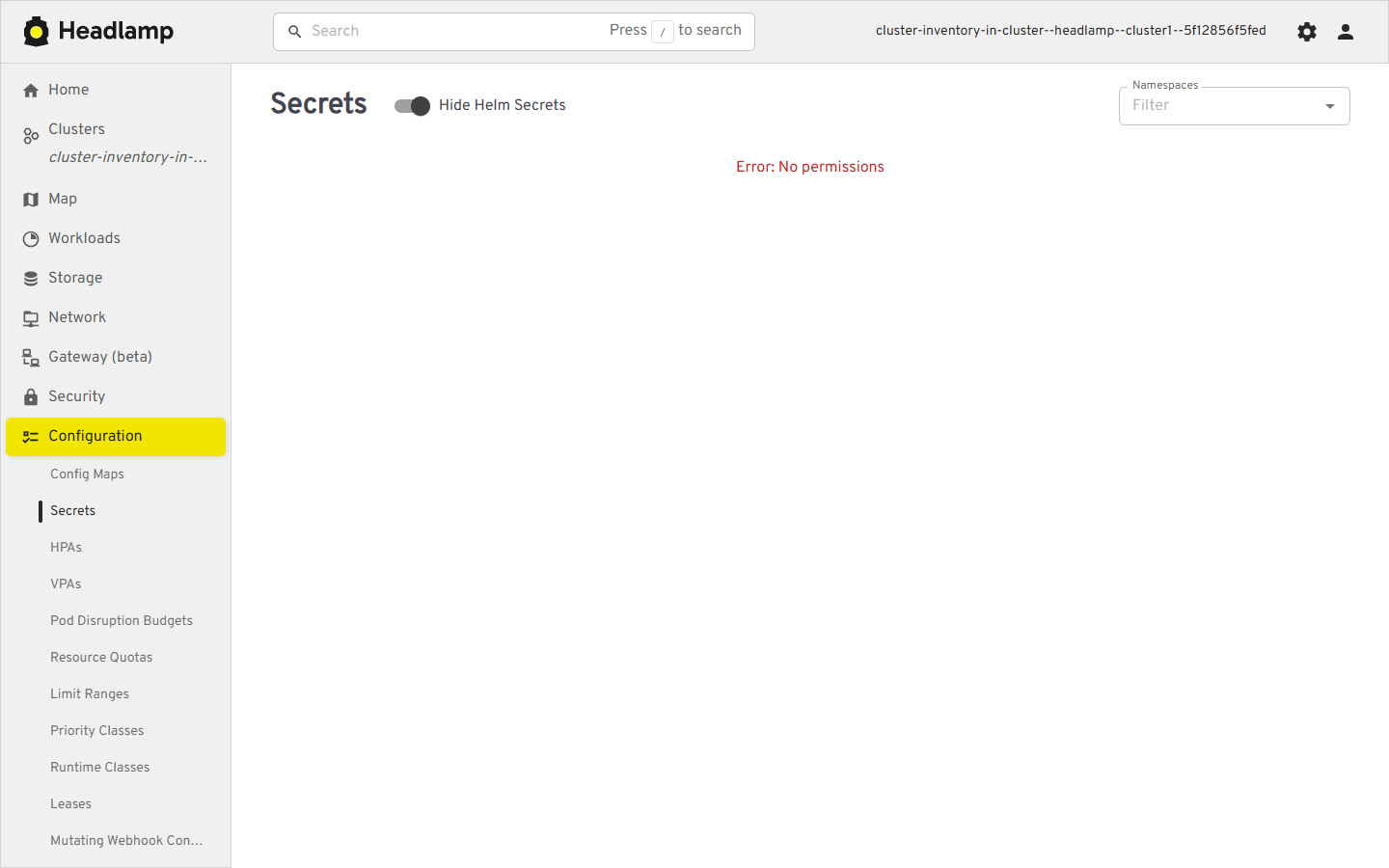
Access to managed clusters is read-only, so Headlamp is refused when it tries to list a managed cluster’s secrets:
How it works
No Headlamp-specific code is needed. Headlamp reads
Cluster Inventory
ClusterProfile objects, and OCM creates one for each managed cluster:
- The hub publishes a
ClusterProfilefor each cluster in a boundManagedClusterSet. cluster-proxyadds the endpoint Headlamp uses to reach that cluster.managed-serviceaccountadds a token for a service account on that cluster.- Headlamp gets the token through OCM’s
cp-credsplugin. - A
ManifestWorkgives that service account read-only access on each cluster.
This is the same pattern described in ClusterProfile Access Providers, used by a UI instead of a controller.
Try it
The Headlamp solution
in the OCM repository has the manifests, the Headlamp chart values, a deploy.sh script that
sets everything up, and step-by-step instructions. On an existing hub it comes down to:
git clone https://github.com/open-cluster-management-io/ocm.git
cd ocm/solutions/headlamp
./deploy.sh <hub-context>
Then open the UI:
kubectl -n headlamp port-forward deploy/headlamp 8080:4466
kubectl -n headlamp create token headlamp
Browse to http://127.0.0.1:8080, log in with the token, and pick a cluster.
This token belongs to the Headlamp service account, which is a cluster admin on the hub. Keep it private, and use a short-lived token.
Read the solution README before you start. It covers the requirements, including a hub that supports image volumes (Kubernetes 1.35+ with containerd 2.1+), plus troubleshooting.
Related
- The OCM Headlamp plugin
in the
labrepository shows OCM objects on the hub, such asManagedClusterstatus. This integration does a different job: it lets Headlamp look inside each managed cluster.